
Outfound works inside ChatGPT as a plugin. You ask in a chat; ChatGPT works with your Outfound account.
What you need
An Outfound account and a ChatGPT account. ChatGPT can do only what your role allows; your plan, credits and sending limits apply as in the web app.
Until Outfound is in ChatGPT's directory, add it as a custom MCP server: full access on Business, Enterprise and Edu, read-only on Pro, not on Free or Plus. On Business, an admin adds it.
Connect
- In ChatGPT, open Plugins.
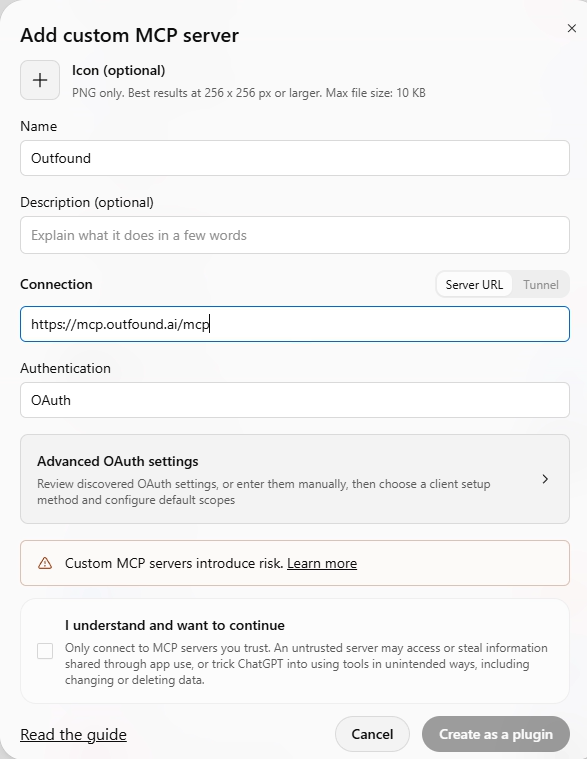
- If Outfound is in the directory, choose it. Otherwise choose Add › Add custom MCP server: name Outfound, server URL mcp.outfound.ai/mcp, authentication OAuth. Tick I understand and want to continue and choose Create as a plugin.
- Sign in with your Outfound account and allow the connection.
What you can do
Almost everything you do in the web app:
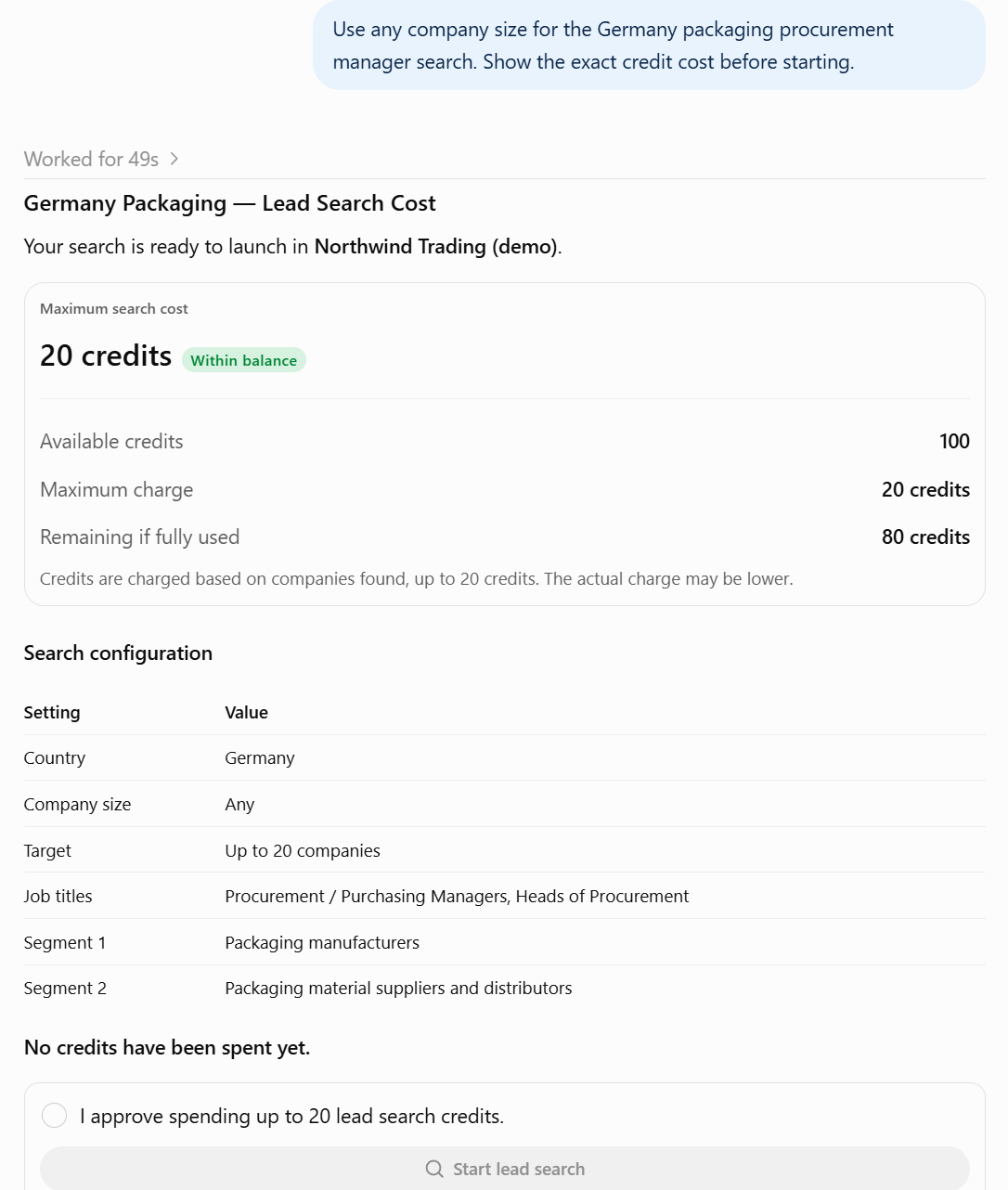
- Find leads: describe who you want; ChatGPT plans the search, shows the cost and runs it after your yes.
- Lists: create, rename or delete lists, add leads, see companies and numbers.
- Emails: set up the strategy, see a sample, write the emails, then edit, approve or reject them.
- Campaigns: check readiness, start, pause or resume, reschedule, see upcoming sends and results.
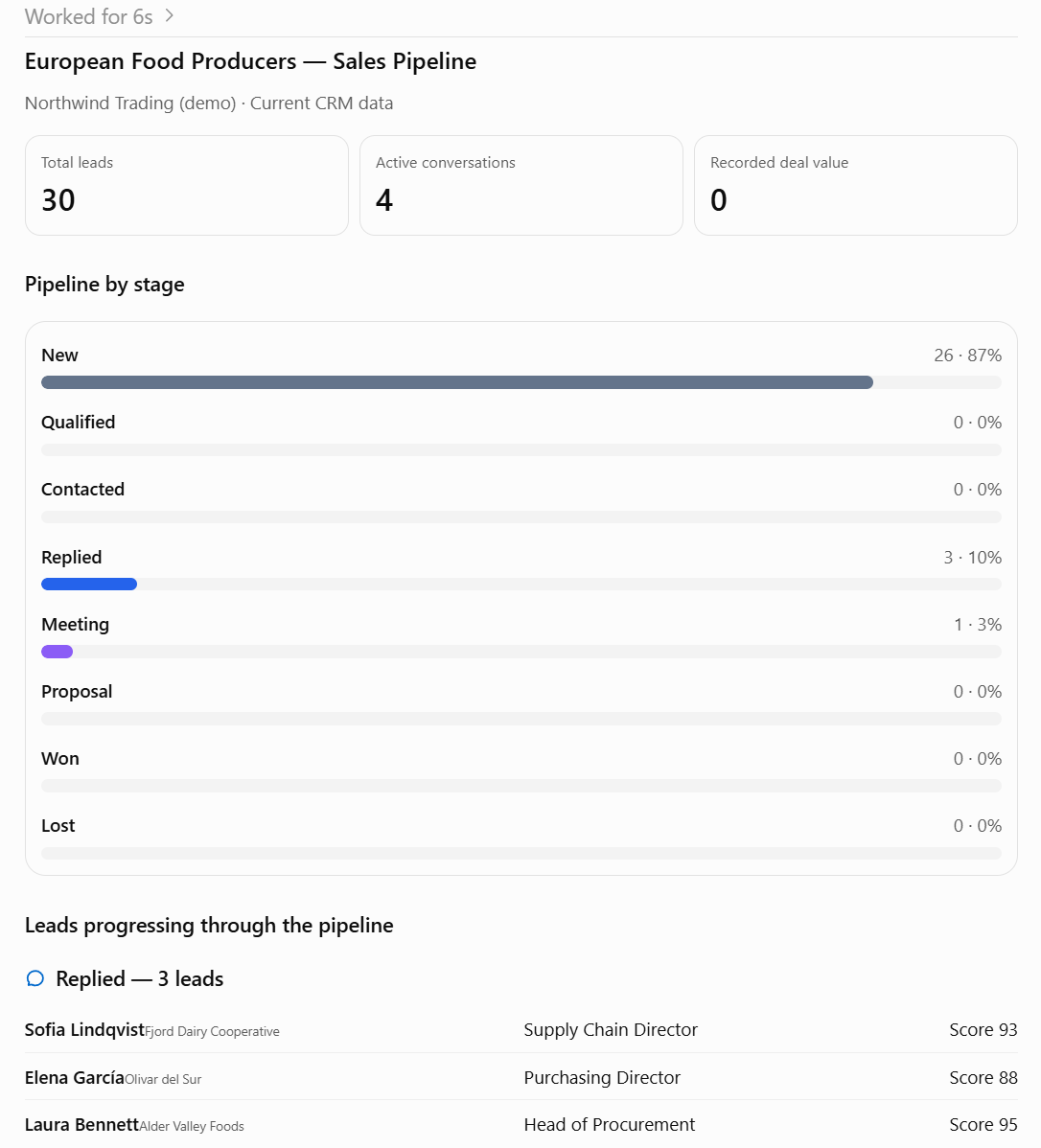
- Replies and CRM: read replies, send an answer, update stages, log calls, see follow-ups and the pipeline.
- Market research: read your reports country by country and ask questions about them.
- Setup and account: sending domains and DNS, senders, blocked addresses, credits and invoices.
What ChatGPT asks you first
ChatGPT asks before a tool that changes something. Anything that spends credits, sends email or deletes a list also shows a preview with its cost and runs only after you say yes. Every change is logged with the app's name.
Disconnect
In Outfound, open Integrations, then ChatGPT under AI apps, and choose Disconnect; Allow again undoes it. You can also remove the plugin under Plugins.
Privacy and help
We don't receive your chats, memory or files, and we don't use ChatGPT's requests to train AI models: https://outfound.ai/legal/privacy-policy (section 4.1). Help: support@outfound.ai.