
When you open a campaign you see four tabs:
- Summary: total leads, open rate, click rate, reply rate, reply rate per domain, bounce rate, spam reports, delivery rate and unsubscribe rate.
- Performance: the Touch Performance Breakdown table shows sent, opens, clicks and replies for each email step, and the condition branches.
- Health: sending health, bounces and complaints. Lead Status Distribution summarises active, replied, completed, bounced and opted-out people.
- Leads: where each person is in the sequence.
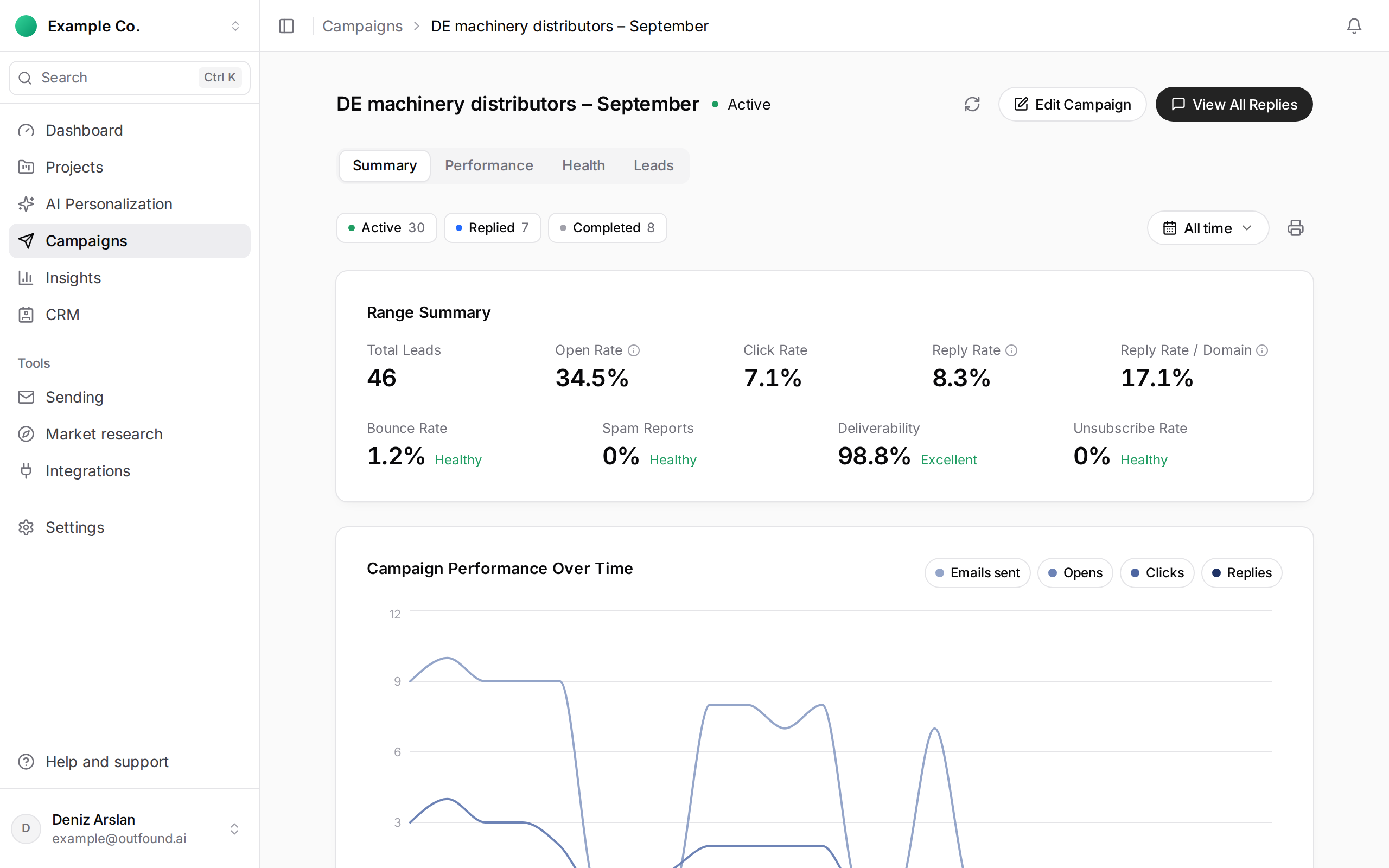
You can save the report with Download PDF.
A note on open rate: providers such as Gmail and Apple Mail can open emails automatically before the recipient does, and those opens are included. Reply rate is the best measure of how a campaign is doing.