
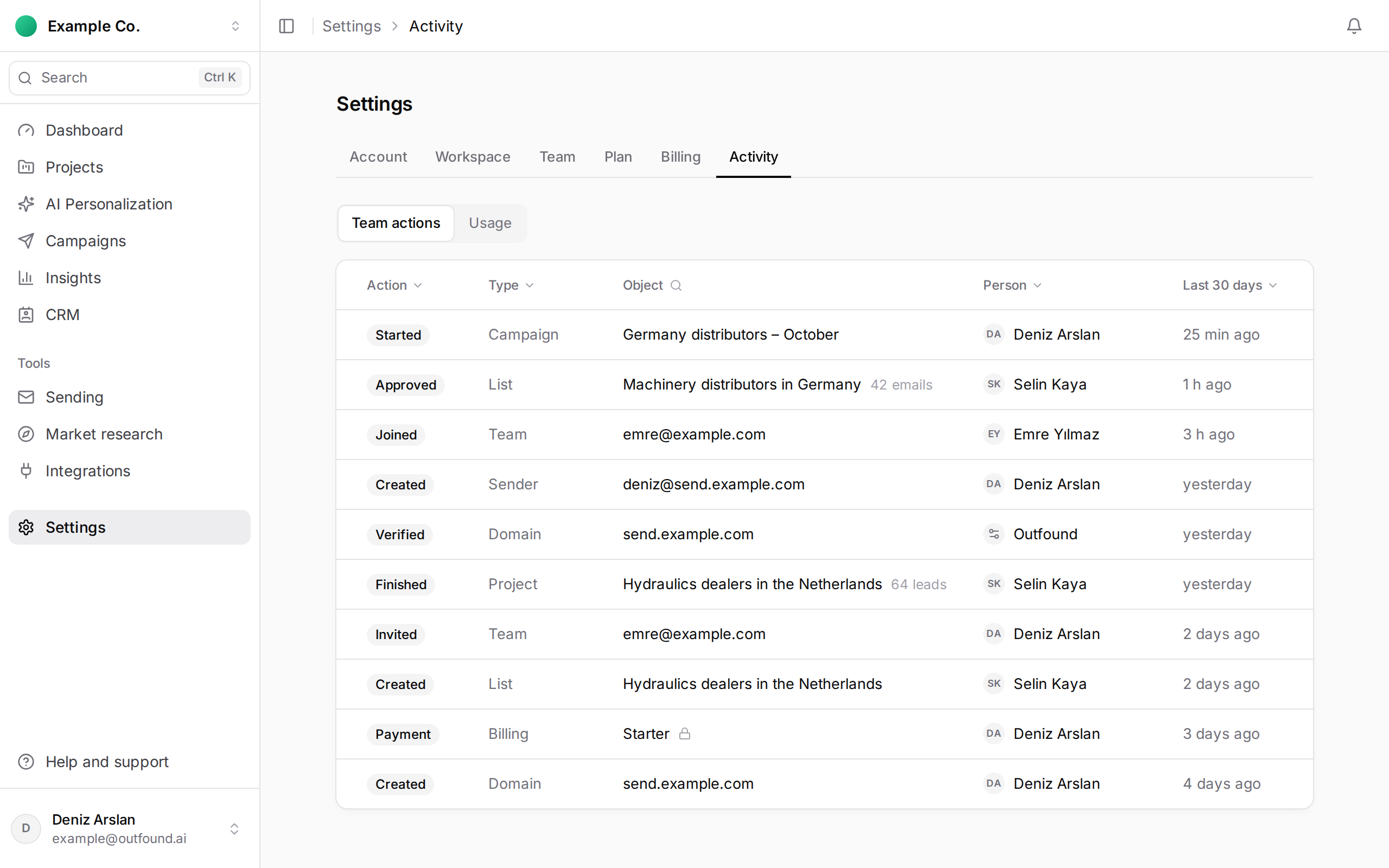
The Team actions view on Settings › Activity is the record of changes in the workspace. Each row shows the action, the type, the object (a project, list, campaign, domain and so on), the person who did it and when.
What is recorded:
- projects, and lead searches finishing,
- lists, leads added to lists and approved emails,
- campaigns being created, started, paused and finished,
- invitations, people joining, role changes and removals,
- domains, senders and integrations,
- changes to the workspace and company details.
Rows that show Outfound instead of a person are things the system did itself, such as verifying a domain or pausing a campaign automatically.
The column headers are the filters: pick from Action, Type and Person, search by name with the magnifier next to Object, and choose a range from Last 7 days to Last year on the right. Click Show older activity for earlier rows.
Every member of the workspace can see the page. Payment and subscription rows are shown only to the Owner and Admins, marked with a lock.