
Trade Map is the International Trade Centre's (ITC) free tool for trade statistics by country and product. For an exporter its best use is market selection: it shows which countries buy your product, how much, from whom, and your country's share of each market. Below we go through four steps with olive oil (HS 1509) as the example; the screens were captured on 28 September 2026 with 2025 data.
Before you start
- Registration is free. Create an account with your email at trademap.org.
- Know your product's HS code. The first 6 digits are the same worldwide; the rest vary by country. Trade Map works with 2, 4 and 6-digit codes. Four digits give a broad picture; six are more precise, but some countries report less data at that level.
1. Who buys your product?
On the "Trade indicators" tab, set "Trade flow" to Imports, importer and exporter to World, and the product to your HS code. The table ranks the importing countries from largest to smallest.
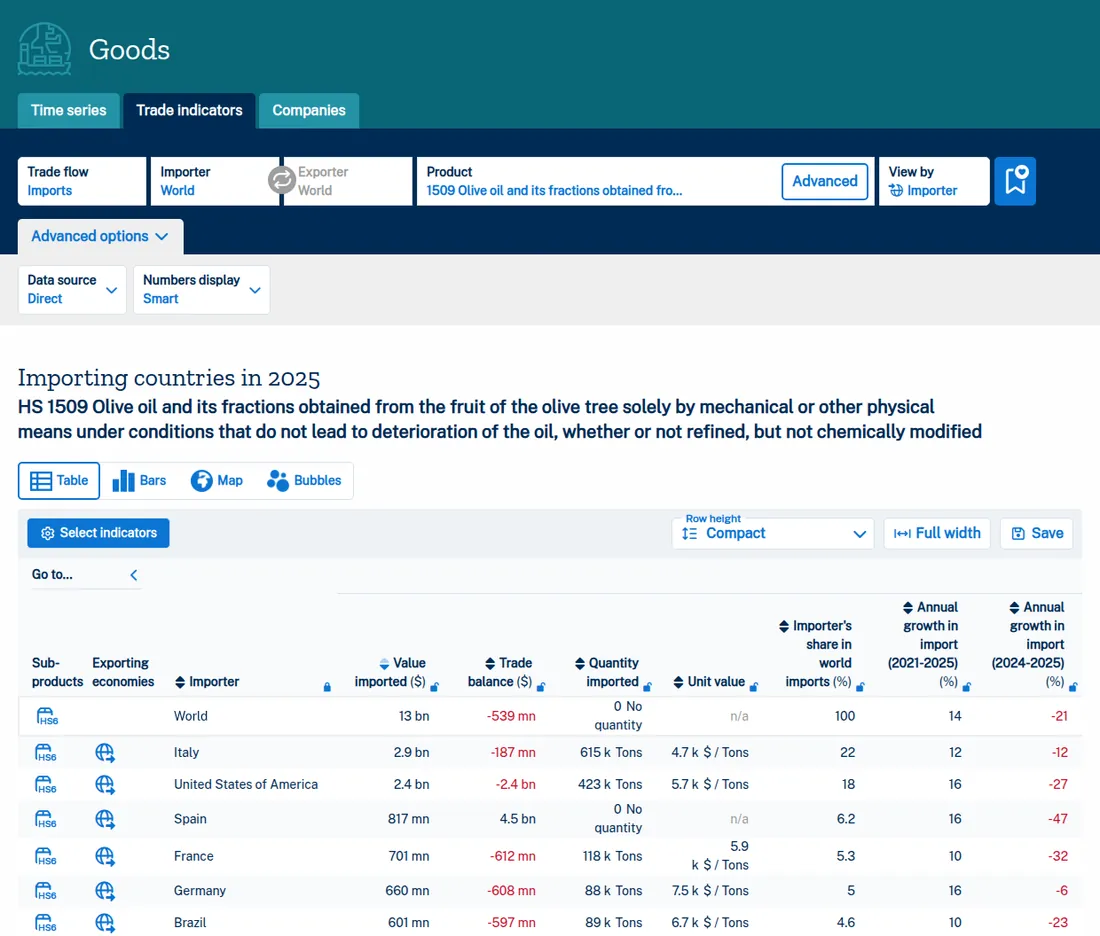
Which columns to read:
- Value imported: the size of the market.
- Annual growth (2021-2025) and (2024-2025): is the market growing? World olive oil imports fell 21% in the last year, yet grew 14% a year on average over 2021-2025. Read the five-year trend, not one year.
- Unit value: the average price per tonne. It shows the price level the market works at.
2. Where does your country already sell?
Set "Trade flow" to Exports, the exporter to your country and "View by" to importer. In our example the exporter is Türkiye.
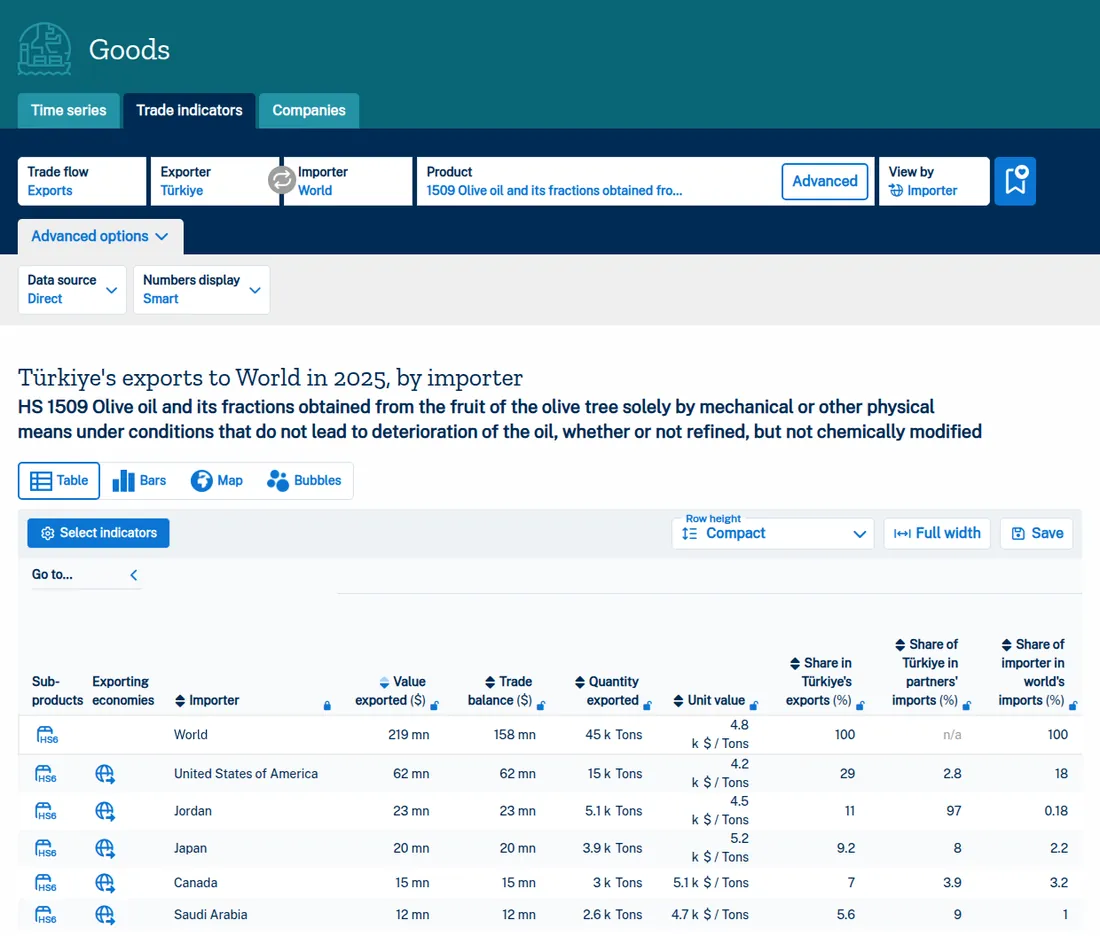
The most useful column here is "Share of [your country] in partners' imports": your country's share of each partner's total purchases. In Jordan Türkiye's share is 97%: that market is already supplied by Turkish exporters. In the United States it is 2.8%: a large market with a small share.
3. Who supplies the target country?
Pick a candidate country, for example Germany. Set "Trade flow" to Imports, importer to Germany, exporter to World and "View by" to exporter.
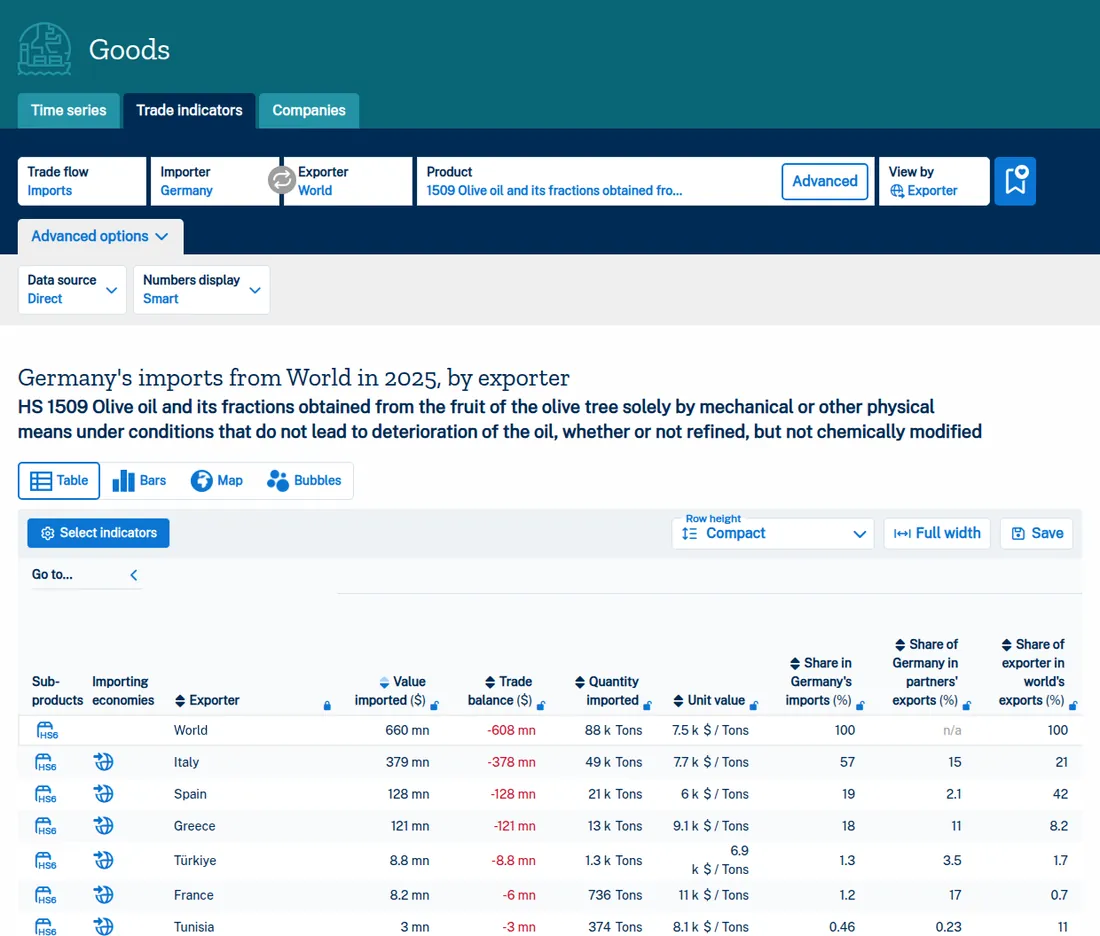
This table answers two questions. Who are your competitors: in Germany, Italy, Spain and Greece. Where does your price sit: olive oil from Türkiye averages 6,900 dollars a tonne, Italy's 7,700 and Greece's 9,100.
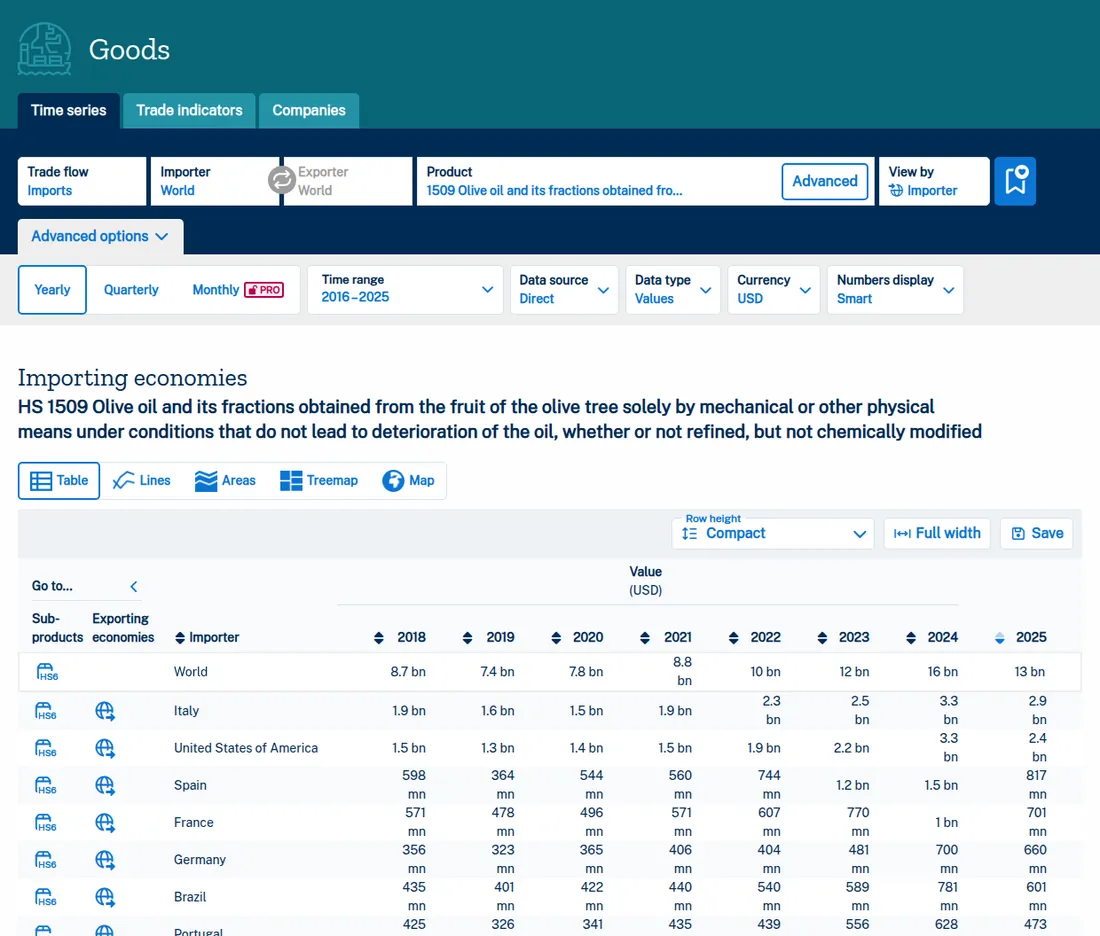
The "Time series" tab shows the same market over the years. Germany's olive oil imports were 356 million dollars in 2018 and 660 million in 2025.
4. The company list: useful, but limited
The "Companies" tab lists companies importing the product in the country you choose. For olive oil (1509) in Germany it returns 25 companies, with name, city and website.
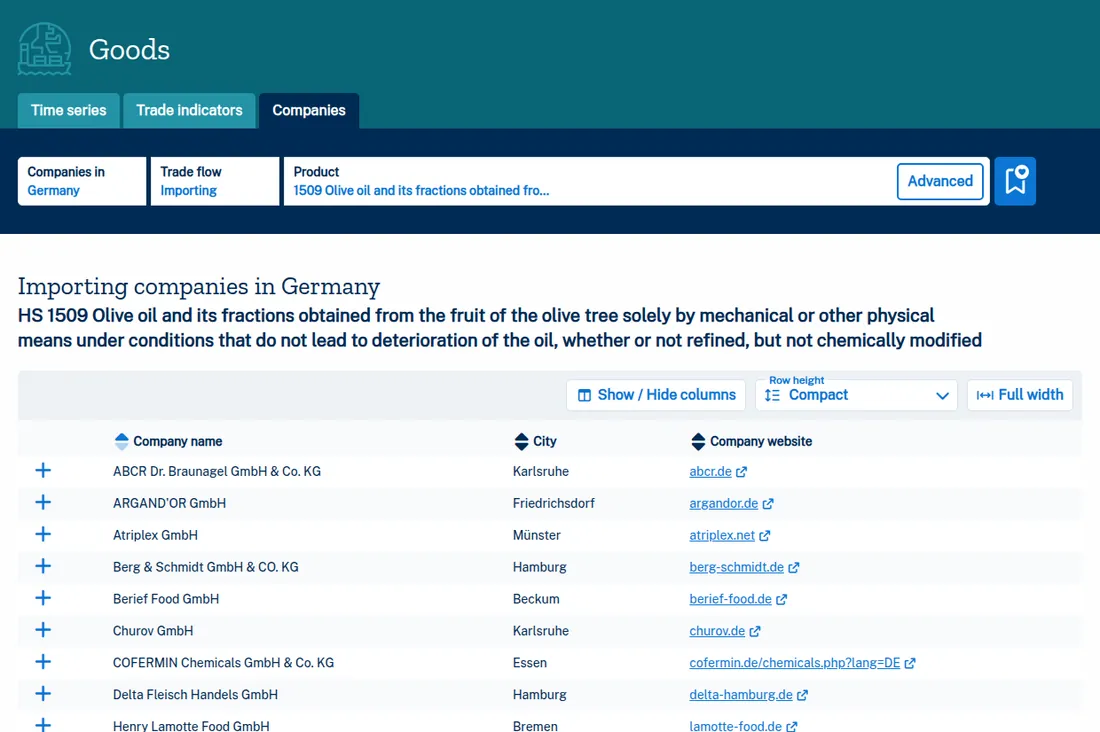
Three things to keep in mind:
- The list is short. 25 companies are a small part of a 660 million dollar market.
- Not all are buyers. The list includes entries that are, by their names, a meat trader and a chemicals company. You cannot tell from the list which will buy your product.
- No people. Trade Map does not tell you who to write to at the company, or what to write.
What Trade Map does not tell you
Trade Map gives you data for choosing a market; it does not make the choice for you. It shows how much a country buys, but weighing what makes entry easier or harder is up to you: tariffs, documents and compliance, the supplier structure in the market, payment and collection risk.
Outfound's market research brings these together in one report. It compares candidate countries for your product and, for each one, sets out tariffs, the supplier structure, rules and documents to verify, export support and payment collection, with sources, and proposes a 12-month entry plan.
Once you have chosen the country, the next job is to find the companies there that sell, process or use your product today and reach the decision-maker. Outfound does that too: it searches the target country for the buyer you describe, reads each company's website today, lists the ones that fit with the reason, and writes the first email in the buyer's language.
Other sources are in how to find buyers for export; how Trade Map compares with customs data is in customs data vs buyer research. For market selection end to end, see choosing your first export market.
Last updated: · By: Tolga Tatar