
You can record how much a deal with a person is worth and when you expect it to close.
- Open the person in the CRM.
- Click the person’s current stage, then choose Value and close date….
- Choose the Stage (the current one stays selected if you don't change it).
- Type a whole number in Value (optional, ₺), for example 250000 or 250,000 on the English screen. Don't enter decimals, currency symbols or incorrect separators; invalid amounts are not saved.
- Pick a date in Expected close and press Save.
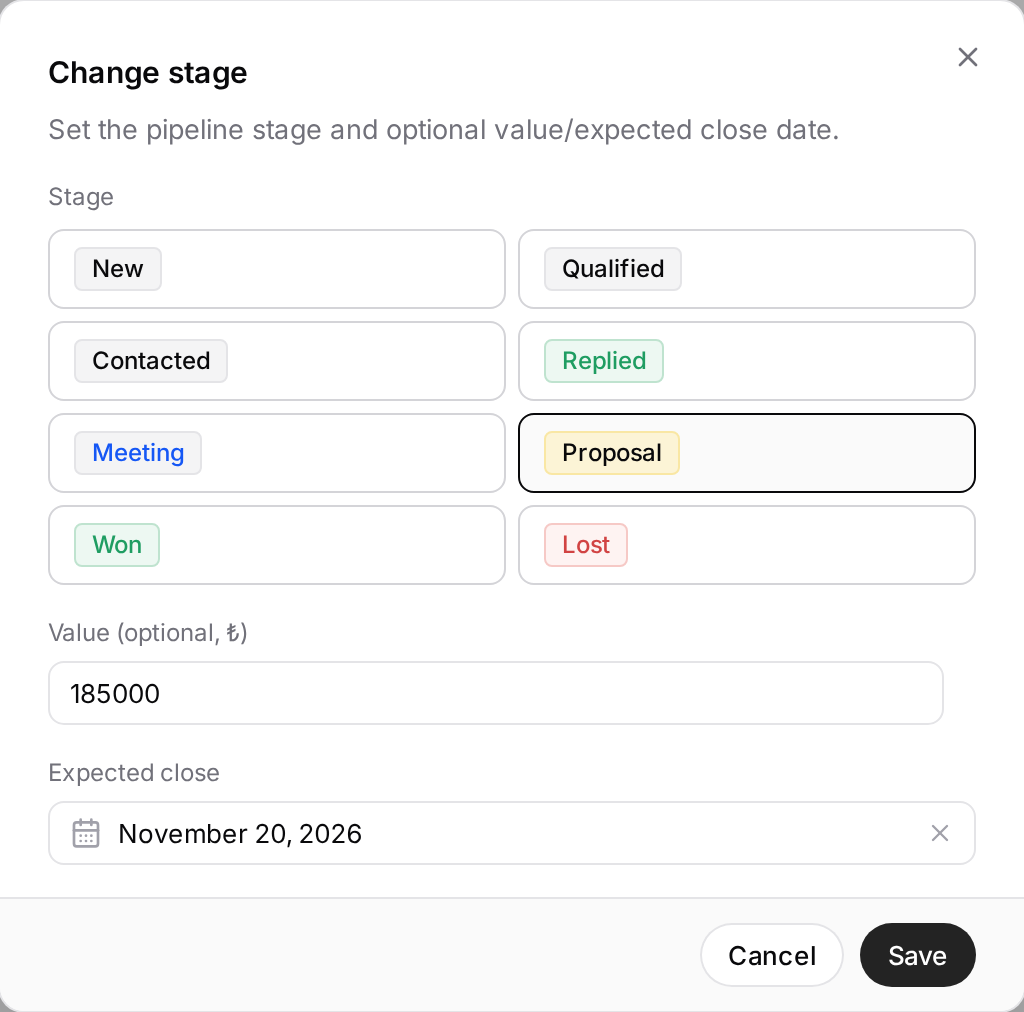
The value and date are saved on the person and are filled in when you open the window again. Values are always shown in Turkish lira (₺). Empty the amount or remove the date and press Save to clear that field; a zero amount is stored as 0.
The Pipeline shows each stage's total value:
- On a wide screen, hover over the count in the column header; the total appears as a tooltip.
- On narrower screens, it is shown next to the count in the stage summary.
A stage with no values shows no total. Changing stages in bulk in All leads doesn't ask for a value or date; you enter those person by person.