
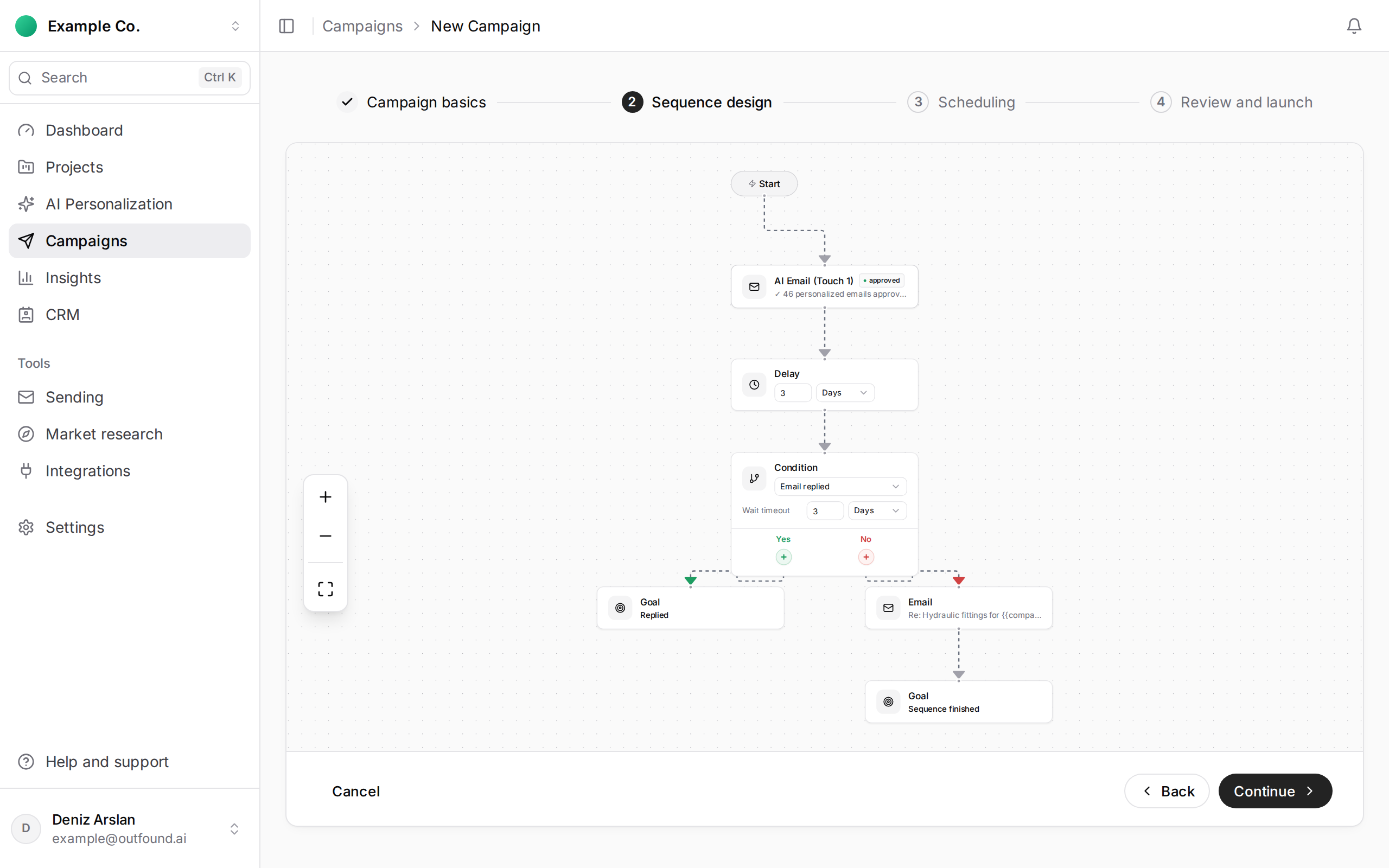
In Sequence design you build the campaign flow from blocks:
- Email: an email to send (a touch).
- Delay: the wait between two emails, in minutes, hours, days or weeks.
- Condition: a branch based on what the recipient did, for example opened the email, clicked a link, or Email Replied.
- Goal: where the flow ends.
A sequence can have at most 20 blocks.
Important: when someone replies to your campaign email, their sequence stops at once and they get no further follow-ups. This works automatically in every campaign; you don't need a condition for it. People who bounce, report spam or unsubscribe get no further emails either.
Use the Condition block to give people who haven't replied different paths; for example, one follow-up for those who opened the email and another for those who didn't.
A common setup: first email, a few days' delay, a second email, another delay and a short final reminder.