
On Sending › Domains, every domain row has a three-dot menu on the right. You need the owner or admin role in the workspace for these actions.
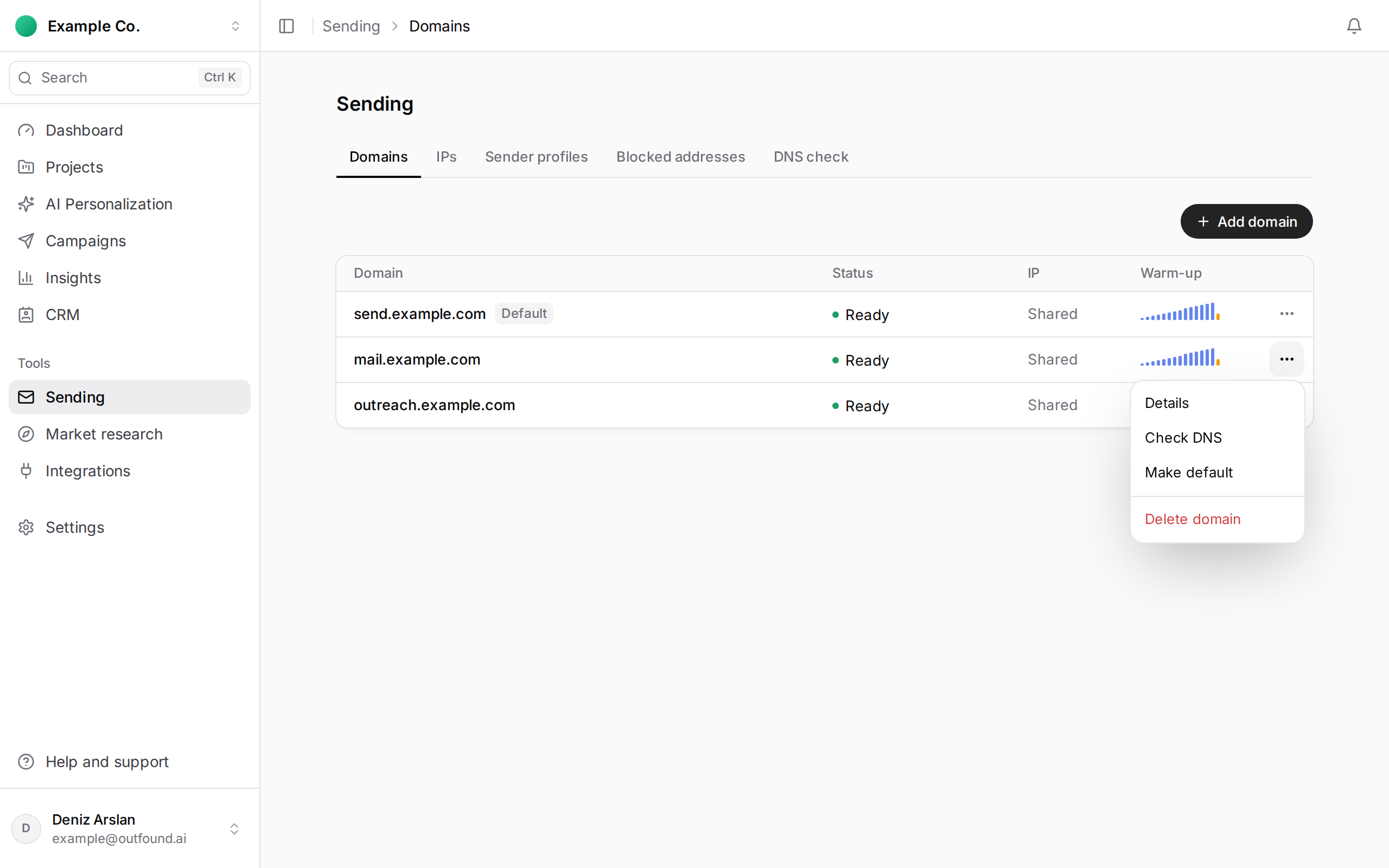
- Check DNS: checks the SPF, DKIM, DMARC and MX records again straight away and shows the result.
- Make default: the domain becomes the workspace's default sender and its row shows the Default badge; the previous default loses it. Only a verified domain can be the default.
- Delete domain: a confirmation opens; deleting cannot be undone.
What happens when you delete it?
- Running campaigns that send from this domain are paused.
- Sender profiles don't change on their own. If you keep using a profile tied to the deleted domain, pick another verified domain for it on Sending › Sender profiles.
- If the domain was on a dedicated IP, you keep the IP; it shows as IP Retained on Sending › IPs and you can bind another domain to it.
Domains bought through Outfound have no Delete domain option in their menu; write to us in the support chat for those.
A domain whose setup isn't finished
Open the domain’s three-dot menu and choose Cancel setup. Confirm in the dialog to cancel the setup you started.